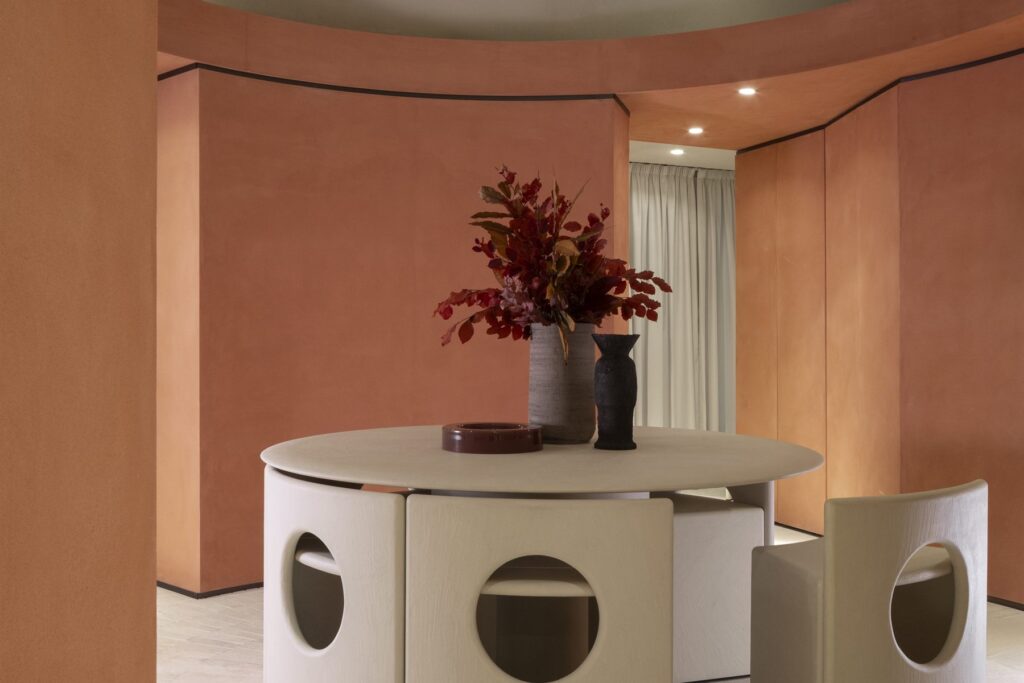
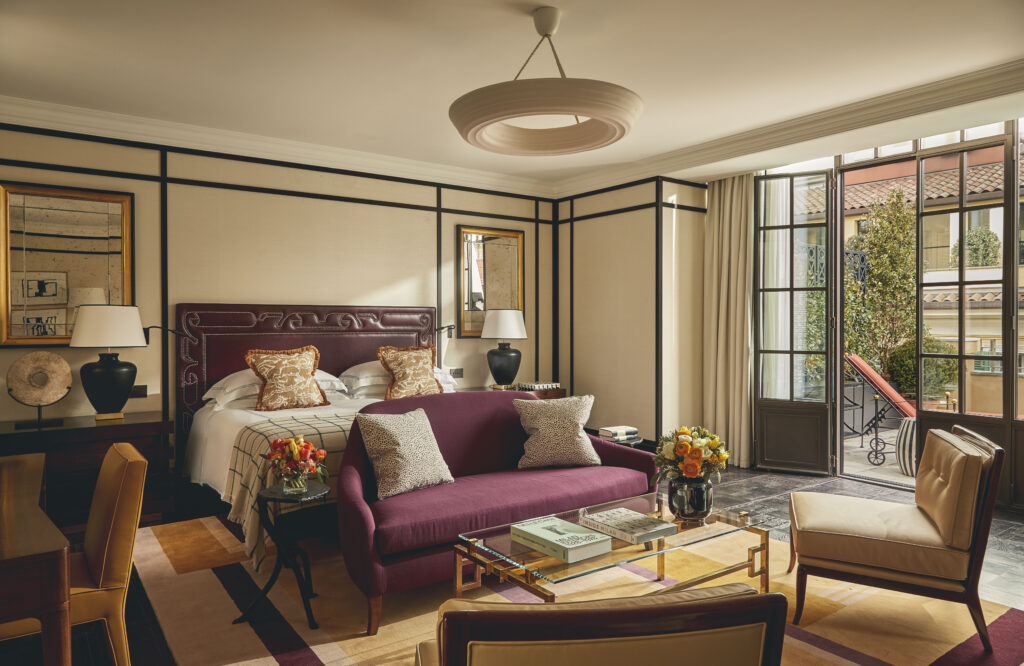
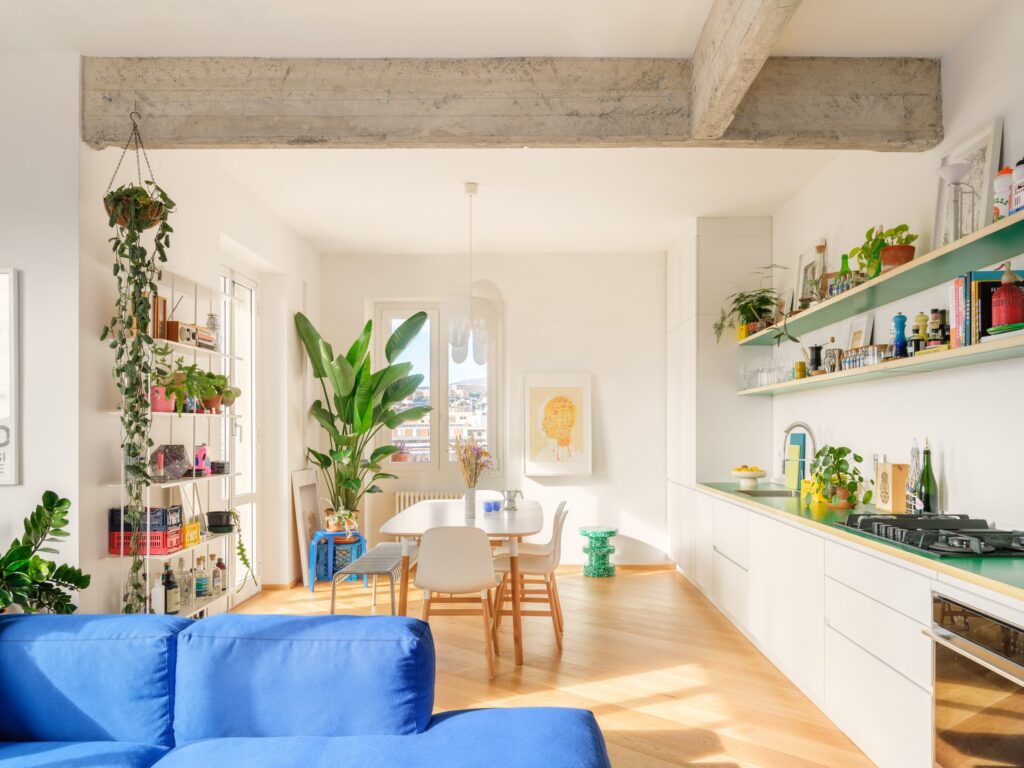
Rendering is the process that turns a three-dimensional model into a realistic or illustrative image, capable of convincingly showing the light, shadows, materials, reflections, depth and atmosphere of a design. Put simply, it is what allows a design idea to become an understandable visualization, useful for presenting rooms, products, buildings or concepts before they are …
Rendering is the process that turns a three-dimensional model into a realistic or illustrative image, capable of convincingly showing the light, shadows, materials, reflections, depth and atmosphere of a design. Put simply, it is what allows a design idea to become an understandable visualization, useful for presenting rooms, products, buildings or concepts before they are built. That is why rendering is now a central tool in architecture, interior design, furniture, construction, product design and real estate.
When people search online for the best rendering software, they often think only of programs that produce spectacular images. In reality, rendering is not just about creating a dramatic effect: it is about communicating a project more clearly, checking proportions and materials, simulating natural or artificial light and making a technical or creative proposal easier to understand. A good rendering program, then, is not just one that creates beautiful images, but one that genuinely helps you work better, faster and more accurately.
Alongside professional software, there are now also many rendering apps and simplified tools that make it possible to create visualizations more quickly. The term covers both smartphone and tablet apps and intuitive programs designed for users who want a more accessible experience than traditional render engines. Some apps let you furnish virtual rooms, apply materials, test lighting or generate quick renders; others are designed to support architects, designers and planners even in the early stages of a project.
Understanding the difference between professional rendering software, free programs and easy-to-use apps is essential to choosing the right tool. Some people need an advanced engine for high-resolution photorealistic images, some are looking for free rendering software to get started, and others want a fast app for quick tests and effective presentations. That is the right starting point: not the question “which is the best of all?” but a more useful, practical one, namely which one is right for you and your work?
How to Choose the Best Rendering Software

Choosing the best rendering software does not mean finding a program that is universally better than the others, but identifying the one best suited to the way you design. This is the point that is often overlooked when comparing tools: needing photorealistic renders for sales presentations, competitions or a portfolio is one thing; working on fast real-time visualizations to check materials, lighting and atmosphere while the project is still evolving is quite another. That is why, before the name of the software, what matters is the type of output you want, the time available, your level of experience and the machine you work on.
Another decisive factor is workflow. Some programs are designed to offer maximum control over image realism and final render quality, such as V-Ray, which works through native integrations with the leading CAD and DCC tools. Others focus instead on speed and continuity in the design process, such as Enscape, developed for real-time visualization directly inside the CAD/BIM environment, or Twinmotion, built to quickly turn CAD and BIM models into images, videos and immersive presentations. Lumion sits in a segment much loved by architects and designers who want strong visual results with a fast, intuitive approach, while D5 Render is growing precisely because it combines immediacy, ready-to-use libraries and a lower barrier to entry.
The balance between cost and learning curve also matters a great deal. Beginners, or anyone who wants to practice without immediately investing in expensive licenses, now have interesting alternatives: Blender remains one of the strongest references because it is free, open source and includes both Cycles, an engine geared toward physically accurate rendering, and Eevee, designed for faster, more interactive visualization. D5 Render also deserves attention because it offers a free version with no watermark and unlimited project creation, which makes it particularly appealing to students, freelancers and designers who want to experiment before moving to more structured solutions.
Finally, the real deciding factor is asking yourself what you actually need the software for. If the goal is high-impact final images with maximum technical control, the most advanced engines are often still the most solid choice. If, on the other hand, you need an agile tool for working with clients, making quick revisions and working in real time inside the project, then integration, simplicity and sync speed matter more. This is where the search for the best rendering software becomes smarter: not when it chases the most popular ranking, but when it weighs visual quality, time, budget, compatibility and ease of use against each other.
The Best Rendering Software to Know Today
Talking seriously about the best rendering software means avoiding the usual generic ranking and distinguishing instead between tools designed for advanced photorealism, programs built for real-time visualization and more accessible solutions for those looking for free rendering software or a less technical workflow. Today the market is mature enough to offer different answers to different needs: quick presentations, high-impact final images, live design review, video, walkthroughs, immersive reality and experimentation for students or freelancers.
V-Ray, for Control, Quality and Photorealistic Renders

Among the most solid and recognizable rendering programs, V-Ray remains a benchmark when the goal is highly polished images and a high level of technical control. Chaos presents it as a plugin available for many of the leading design and modeling platforms, including 3ds Max, SketchUp, Rhino, Revit and Maya, with native integrations in the main CAD and DCC environments. It makes the most sense when rendering is not just a quick check on the project, but a decisive part of the final visual communication.
Enscape, for Seeing Your Project While You’re Still Building It

Enscape is one of the strongest names in real-time rendering for architects and designers. Its strength is not just visual quality, but the fact that it works directly inside the CAD or BIM environment, with instant visualization, an intuitive interface and near-instant project updates. That is why it is often a very sensible choice for studios that need to review work quickly with clients and teams without breaking their workflow.
Twinmotion, for Speed, Video and Immersive Presentations

Twinmotion holds a very interesting position because it focuses on real-time 3D visualization made accessible through an intuitive interface, built on the Unreal Engine ecosystem. Official sources describe it as a tool that can quickly turn CAD and BIM models into high-resolution stills, videos and immersive presentations. This makes it particularly well suited to those who want not just a static image, but a more dynamic way of telling a project’s story.
Lumion, for Atmospheric Presentations

Lumion remains one of the most popular programs in architecture because its whole promise rests on a balance of speed, visual quality and ease of use. The official website describes it as real-time rendering software designed to support the workflow from concept to final render, in sync with the tools designers already use. Lumion also highlights the ability to produce high-resolution images and work in real time without interrupting the creative process: something that matters a lot when rendering has to help you make decisions, not just impress.
Blender, the Best Free Rendering Software for Learning the Craft

If you are looking for free rendering software that does not hold you back, Blender remains one of the strongest answers. It is open source and offers two very useful approaches: Cycles, a ray-tracing engine, and Eevee, designed for faster, more interactive rendering. This means Blender is not just an inexpensive entry point, but a serious environment in which to learn the logic of rendering, materials, lighting and visualization without being tied to a paid license from the start.
D5 Render, for an Easier Balance of Quality and Accessibility

In recent years, D5 Render has carved out an important niche because it tries to combine real-time rendering, ready-made libraries, AI and accessibility. Its official pages highlight features such as real-time path tracing, an asset library and a free version with unlimited projects and no watermark, which make it very appealing to students, freelancers and small studios. It is not just “easy” software: it is a platform trying to lower the technical barrier without sacrificing perceived quality.
Corona, for a More Straightforward Approach to Photorealism

Corona remains an important name especially for those working in 3ds Max or Cinema 4D who want a photorealism-oriented engine with a more focused approach than other, broader ecosystems. Chaos describes it as tightly integrated into these environments, with physically plausible results and realistic materials available out of the box. It is still a sensible choice for those who want high quality, a consistent workflow and a learning curve that, in some professional contexts, is seen as more straightforward.
In short, the best rendering software does not all share the same idea of excellence. V-Ray and Corona speak mainly to those aiming for controlled photorealism; Enscape, Twinmotion and Lumion work very well for those focused on design speed and presentation; Blender and D5 Render, meanwhile, are two very strong references when you are looking for free or more accessible alternatives without giving up credible quality. The right choice therefore comes not from the fame of the name, but from the match between type of project, time, budget, hardware power and level of experience.
Best Free Rendering Apps: Which Ones Are Worth Trying

When looking for the best free rendering apps, it helps to clarify one thing straight away: not all free tools do the same job. Some are full-fledged rendering programs, suitable for more serious, structured use. Others are simpler, more intuitive apps, designed for quick tests, furnishing a room or visualizing a project instantly.
This distinction matters, because people searching online for free rendering software can have very different needs. Some want to genuinely learn how to create professional renders, some need a fast tool for interior design, and some simply want to test an idea without immediately tackling overly complex software.
Among the most interesting free options, Blender remains one of the most solid references. It is complete open-source software, valued by students, designers and professionals because it allows serious work on models, materials, lighting and final images. It is not just a free option: it is an environment in which you can genuinely grow, learning rendering with a more technical and informed approach.
Alongside Blender, an increasingly interesting name is D5 Render. It is often chosen by those looking for a more immediate solution, with a gentler learning curve and visuals that are already convincing. That makes it particularly suited to those working in architectural rendering who want to start with an accessible tool without giving up on quality altogether.
If your needs are simpler and more practical, apps such as Planner 5D and Homestyler come into play. Here the focus is not so much professional rendering as the ability to quickly design and visualize a room. These tools are useful for testing furniture layouts, showing an idea to a client, organizing space more effectively or getting a clear visual result without having to master more technical software.
In short, there is no single answer that works for everyone. Blender is a strong choice for those who want to genuinely learn and build solid skills. D5 Render is a good middle ground for those looking for quality and greater immediacy. Planner 5D and Homestyler, on the other hand, work best for those who want an easy, fast app geared more toward interior design.
The point, then, is not to ask which free app is the best of all, but which is best suited to your goal. And that is exactly the place to start if you want to choose well.
Professional Rendering Software vs. Free Apps: The Differences That Really Matter

The difference between professional rendering software and free apps is not just about price. Above all, it lies in the level of control, the quality of the result and the kind of work they allow you to produce.
Professional software generally offers more advanced tools for managing lighting, materials, reflections, shadows, textures, camera angles and post-production. This means more freedom to build complex, more realistic images that are more faithful to the design idea. It is the best choice when rendering needs to become an integral part of the final presentation, the portfolio, a competition entry or high-end marketing.
Free rendering apps, by contrast, are often designed for quicker, more immediate use. They can be very useful for quick tests, visualizing a room, showing a preliminary proposal or getting familiar with the language of rendering. In many cases, however, they have more obvious limits: less customization, less technical depth, simpler libraries, less refined output, or advanced features available only in paid versions.
This does not mean free apps are “weak” tools. It simply means they meet a different need. For beginners, for those who want to experiment without investing right away, or for anyone who needs a quick visualization, they can be a very smart solution. For those who work every day on projects that must be presented with care, however, moving to professional software often becomes almost inevitable.
Then there is another factor that matters: time. Professional programs generally take longer to learn, but they also give you more control. Simpler apps get you to a result faster, but often sacrifice depth and precision. That is another reason why the best choice is not always the most powerful one, but the one best suited to your level of experience and the type of project.
To sum up: free apps are useful for getting started, experimenting and working nimbly; professional rendering software is what you need when quality, realism and control become truly central. The smartest choice comes from balancing your goal, budget, skills and available time.
Best Rendering Software for Architecture and Interior Design

When it comes to the best rendering software for architecture and interior design, the choice should not start from a generic ranking, but from the type of work you need to produce. In architecture, what often matters is speed of revision, compatibility with CAD and BIM software and the ability to clearly show the spaces, volumes and atmosphere of a project. In interior design, the rendering of materials, the quality of light, the realism of surfaces and the ability to depict believable, welcoming and detailed rooms also become central. That is why the most interesting programs today are those that fit smoothly into the design workflow, without separating the technical phase too much from the visual one.
For those working in architecture, one of the strongest names remains Enscape, because it is built for real-time visualization directly inside CAD/BIM tools and focuses heavily on how quickly you can move from idea to visual clarity. Twinmotion is also very effective here, especially when you need to turn CAD or BIM models into images, videos and immersive presentations quickly. Lumion, meanwhile, remains very popular with those seeking a balance of speed, visual quality and project continuity, with an approach that supports the work from concept to final render.
For those working between interior design and more refined visualization, software that offers greater control over the scene still matters a great deal. V-Ray remains a solid choice because it integrates with widely used platforms such as SketchUp, Rhino and Revit and continues to be associated with very high-end photorealistic results. Lumion also holds a strong position for interiors, because it puts a lot of emphasis on convincingly showing light, shadows, materials and objects, helping to create rooms that look not just correct but lived-in and compelling.
In practice, for architecture, programs such as Enscape, Twinmotion and Lumion work very well because they help communicate the project quickly and clearly. For interior design, tools such as V-Ray and, again, Lumion often become more interesting, because they let you work better on atmosphere, detail and material rendering. The best choice, then, is not the best-known software overall, but the program that truly fits the way you design and present space.
Easy Rendering Software: What to Choose If You’re a Beginner

Those looking for easy-to-use rendering software usually do not need the most powerful program available, at least at first. Instead, they want a tool that delivers believable results without getting lost in overly technical settings, long learning curves or complicated workflows. From this point of view, the most interesting programs today are those that combine an intuitive interface, real-time rendering, ready-made libraries and good compatibility with the main design programs.
Among the most accessible names is Enscape, which Chaos presents as a fast, intuitive tool designed to work directly inside the CAD/BIM environment. It is well suited to those designing in architecture or interior design who want to see the result almost immediately, without straying far from the software they are already using. This continuity is precisely what makes it appealing to beginners who still want to step into a professional workflow.
Twinmotion is also often seen as one of the easiest rendering programs to start with, because it focuses heavily on an accessible interface and on the ability to go from CAD or BIM models to images, videos and immersive presentations quickly. It is not the kind of software that takes weeks just to figure out where to begin: its strength lies precisely in making 3D visualization more immediate, especially for those who want to communicate a project fast.
Lumion occupies a similar position, but with a slightly stronger focus on the visual impact of the presentation. Its official pages stress that the process should be simple, intuitive and smooth, with a fairly gentle learning curve and a workflow that takes the designer from concept to final render. For those who want striking images without diving straight into heavy technical complexity, it remains one of the most solid options.
Among the most interesting alternatives for those who want an even more guided approach, D5 Render is worth mentioning. Its positioning is clear: real-time rendering, ready-made libraries, drag and drop and LiveSync with other software. It is one of those programs that meets a very current need well: getting a visually strong result without immediately tackling an overly technical ecosystem. For students, freelancers and small studios, it can be a very practical entry point.
In practice, for beginners it breaks down like this: Enscape is very appealing if you want continuity with CAD/BIM; Twinmotion if you want speed and immediacy in your presentations; Lumion if you are after strong visuals with a fairly accessible learning curve; D5 Render if you want contemporary, guided software that is easy to get up and running. The best choice therefore depends not on which is “the most famous,” but on which one helps you work well from your very first projects.
What Is the Best Rendering Software? It Depends on How You Work

It is a very popular question, but asked this way it risks leading to the wrong answer. The best rendering software is not the same for everyone, because goals, timelines, skills and types of project all differ. Some people need highly realistic final images, some need to win over a client quickly, some already work inside a CAD or BIM environment and do not want to break their flow, and others are just starting out and want a more accessible tool.
If you work mainly in architecture and want to see the project as you develop it, the most interesting programs are those focused on real-time visualization and workflow continuity. Chaos presents Enscape as a fast, intuitive tool integrated directly into the CAD/BIM environment; Twinmotion emphasizes the ability to go from CAD or BIM to images, videos and immersive experiences very quickly; Lumion, meanwhile, positions itself as a complete solution for visualizing a project from concept to final render, keeping speed and sync with the tools already used in the studio.
If, on the other hand, your goal is photorealism and you want deeper control over the final image, the reasoning changes. In that case, it makes more sense to turn to engines that allow more precise construction of materials, lighting and visual output, and that have a strong track record in producing high-quality renders. In this scenario, the choice depends not only on how beautiful the result is, but also on how far you want to go into the technical detail of the image.
If you are starting from scratch or want to keep costs down, the smartest choice may be different. Blender remains very appealing because it is free and open source, with Cycles for ray tracing and Eevee as a real-time engine geared toward speed and interactivity. D5 Render, meanwhile, is one of the most convincing options for those who want a more guided free solution: the official free version includes unlimited projects and watermark-free output.
So, Enscape, Twinmotion and Lumion work very well when you need speed, clear presentations and integration with the project; Blender is a strong choice for those who want to genuinely learn and build skills; D5 Render is very appealing for those seeking immediacy, a contemporary look and accessibility. Rather than asking which is the best of all, it is better to ask which software helps you work best, today, with your own method and goals.
Best Rendering Software: FAQ
What is the best rendering software today?
The most frequently cited rendering programs today are V-Ray, Enscape, Twinmotion, Lumion, Blender and D5 Render. Not because they are interchangeable, but because they meet different needs: some focus on photorealism and technical control, others on real-time visualization, and others still on accessibility and free versions.
What is the best rendering software for beginners?
For beginners, software that reduces initial complexity usually works best. Chaos presents Enscape as a fast, intuitive tool integrated directly into CAD/BIM, while Twinmotion emphasizes the ability to go from CAD or BIM models to high-quality visualizations quickly. This makes them more accessible than more technical engines.
Is there any free rendering software that’s actually good?
Yes. Blender is one of the most solid free alternatives, because it includes Cycles, a ray-tracing render engine, and Eevee, a physically based real-time renderer. D5 Render also has a very interesting free offering: its official pages list unlimited projects, LiveSync integrations and watermark-free output.
What is the best rendering software for architecture?
For architecture, the most useful programs are often those that integrate well with the design workflow. Enscape is designed to work directly in the CAD/BIM environment with real-time feedback, while Twinmotion presents itself as a solution for going from CAD or BIM to images, videos and immersive experiences very quickly.
What is the best rendering software for interior design?
In interior design, speed is not the only thing that counts: light, materials, atmosphere and the depiction of space matter too. That is why many professionals turn to software that offers more control over the final image, or to real-time tools that let them instantly check the effect of surfaces, furniture and lighting. In practice, the right choice depends on how much weight realism, speed and client presentation carry in your work.
Is real-time rendering software better than a more advanced engine?
It depends on the result you want. Real-time software such as Enscape or Twinmotion is very useful when you need to see and communicate the project quickly, updating it as you work. More structured engines make sense when you want a final image that is more controlled and more carefully built in its details. It is not a contest between better and worse tools: it is a difference in method.
Is Blender still a good choice in 2026?
Yes, especially if you are looking for free rendering software that also lets you genuinely learn. Blender still offers both a ray-tracing render engine, Cycles, and a real-time renderer, Eevee, so it remains a very strong solution for those who want to experiment, train and build a workflow without starting out with a paid license.
Is D5 Render really free?
According to its official documentation, D5 Render offers a free version with an unlimited number of projects, LiveSync integrations, import of the main file formats, thousands of models and materials and no watermark on output. That makes it one of the most interesting free options to consider today, especially for those working on architectural and interior visualization.